


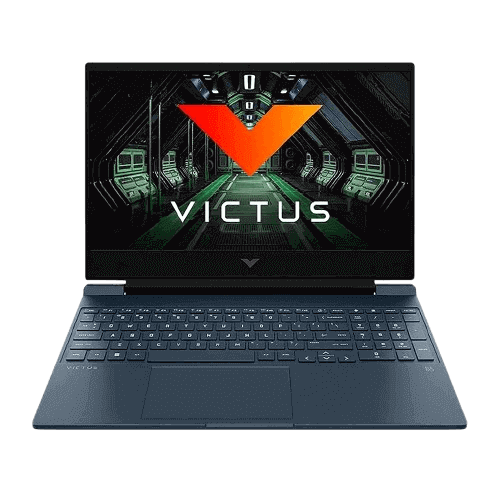
This configuration can handle popular esports titles like Valorant, League of Legends, Fortnite, Apex Legends, and Overwatch 2 at 1080p resolution. Medium settings generally provide stable performance. For heavier AAA games, low to medium settings are recommended for smoother frame rates, especially with 8GB RAM. Upgrading to 16GB RAM can improve consistency.
We independently review everything we recommend. When you buy through our links, we may earn a commission. How we evaluate
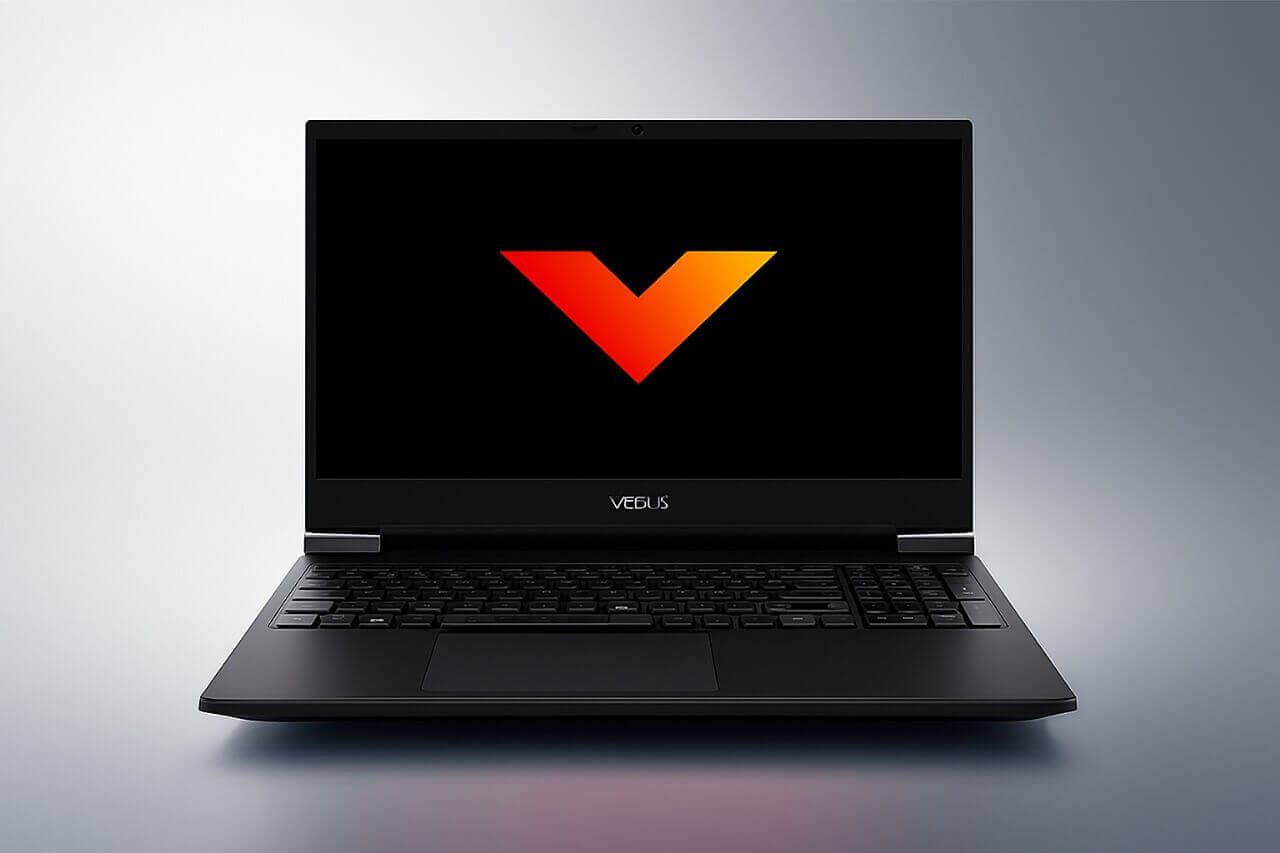
HP Victus 15 Review: Budget Gaming Ryzen 5 Laptop
Last updated 25th February 2026
10 min read
Table of Contents
The HP Victus 15 powered by AMD Ryzen 5 5600H and Radeon RX 6500M is positioned as a budget-focused gaming laptop that can handle popular esports titles and everyday productivity tasks reliably. It is aimed at students, casual gamers, and working professionals who want dedicated graphics performance without stretching their budget.
This model comes in Performance Blue and offers a practical mix of CPU power, dedicated graphics, and fast storage. The base variants typically feature a 15.6-inch Full HD IPS display with a 60Hz refresh rate and around 250 nits brightness, making it more of a budget-first panel rather than a high-refresh competitive gaming screen.
With a 6-core, 12-thread processor, 4GB GDDR6 dedicated GPU, 8GB DDR4 RAM, and a 512GB high-speed NVMe SSD, it delivers consistent performance for 1080p medium settings in many popular titles, especially when upgraded to 16GB RAM for smoother multitasking and improved gaming stability.
Pros
- Strong Ryzen 5 5600H performance
- Dedicated RX 6500M graphics for 1080p gaming
- Fast 512GB Gen4 SSD
- Clean gaming design suitable for office and college
- Good audio with B&O tuning
Cons
- Only 8GB RAM out of the box
- 250 nits brightness is average
- Not ideal for heavy AAA gaming at ultra settings
- Significant screen wobble due to a sensitive hinge design
Specifications
Who Should Buy This Laptop
Good Choice For:
- Students who want a gaming and study laptop
- Casual gamers who play Valorant, Fortnite, and similar titles
- Entry-level content creators
- Office users who need performance and occasional gaming
- Users looking for a budget dedicated GPU laptop
Not Ideal For:
- Professional gamers who want high refresh rate competitive performance
- Heavy video editors working on 4K projects
- Users who need long battery life for travel
- People looking for ultra-light laptops
If you're comparing options in this price segment, you can also check out other laptops available under the same budget.
Best Laptops Under ₹50,000 for Work and Study 2026
Performance and Processor
The AMD Ryzen 5 5600H is a 6-core, 12-thread processor based on AMD’s Zen 3 architecture. It features a base clock of 3.3 GHz and can boost up to 4.2 GHz, along with 16MB of L3 cache. Even in 2026, it remains a capable processor for entry-level gaming and everyday multitasking in budget gaming laptops.
In configurations that pair the Ryzen 5 5600H with the Radeon RX 6500M, the system can utilize AMD SmartShift technology. This allows dynamic power balancing between the CPU and GPU depending on workload demands, helping optimize performance during gaming or heavier tasks like rendering.
However, HP Victus 15 variants equipped with NVIDIA GPUs such as the GeForce RTX 3050 or GTX 1650 do not use SmartShift. Instead, those models rely on NVIDIA Dynamic Boost for similar power management between CPU and GPU.
For daily use, the laptop handles web browsing, office applications, online classes, and media streaming smoothly. It is also suitable for tools like Adobe Photoshop, programming environments, and light 1080p video editing. Upgrading the RAM to 16GB or higher can significantly improve multitasking stability and overall responsiveness.
If you're curious about how AMD and Intel processors differ in real-world use, this guide explains it in simple terms.
Intel vs AMD: How to Choose the Right Laptop Processor
Graphics Performance
The AMD Radeon RX 6500M with 4GB GDDR6 dedicated memory delivers smooth 1080p gaming performance. It is based on RDNA 2 architecture and supports features like AMD FidelityFX and Smart Access Memory for better efficiency and improved frame rates.
You can play popular esports titles like:
- League of Legends
- Valorant
- Fortnite
- Apex Legends
- Overwatch 2
- Call of Duty Warzone on medium settings
Esports games run at high frame rates on medium to high settings. For AAA games, medium or low settings are recommended for stable performance. The 4GB VRAM is suitable for 1080p gaming, but very demanding modern titles may require lower texture settings. Overall, it is a good GPU for competitive gaming and casual AAA gaming in the budget segment.
Screen and Visual Experience
The laptop features a 15.6-inch Full HD (1920 × 1080) IPS display with a matte anti-glare coating. This helps reduce reflections from indoor lighting such as classroom lights or office setups, making it comfortable for extended study sessions, work, or media consumption.
The base configuration typically offers 250 nits of brightness. This level is generally sufficient for standard indoor environments, though it can feel slightly dim in very brightly lit rooms or near large windows. Outdoor usage, even in indirect sunlight, is limited due to the lower brightness. Some higher-tier configurations of the HP Victus 15 may include a brighter 300-nit panel, which performs better in well-lit conditions.
The IPS panel provides stable colors and wide viewing angles, so the screen remains consistent when viewed from different positions. However, the standard 250-nit variant usually covers around 45% NTSC (roughly 60% sRGB), which means color reproduction is adequate for gaming, streaming, school projects, and basic photo or video editing - but not suitable for professional color-critical work like advanced photo grading or print design.
Overall, for everyday use and casual gaming, the display delivers sharp 1080p visuals and a comfortable viewing experience within its budget-focused positioning.
Design and Build
The HP Victus 15 follows a clean and minimal gaming design that looks modern without aggressive styling. This makes it suitable for college, office, or professional environments. The Performance Blue variant adds a subtle gaming touch, and it is also commonly available in Mica Silver and Ceramic White color options.
The chassis is primarily made of durable plastic with a matte finish. Build quality feels solid for its price segment, though it does not use premium metal materials. The hinge mechanism is functional but can show noticeable wobble if typing aggressively or if the desk is bumped, which is something users should be aware of.
Weighing approximately 2.29 kg and measuring around 2.35 cm at its thickest point, it is not ultra-portable. However, for a 15.6-inch gaming laptop with dedicated graphics, it fits comfortably in most standard laptop backpacks and is manageable for daily commuting.
The laptop features a full-size keyboard with a dedicated numeric keypad and white backlighting (with some higher-tier variants offering 1-zone RGB). Typing is generally comfortable with decent key travel, though slight keyboard deck flex may be noticeable under heavy typing. The large HP Imagepad touchpad is responsive for everyday tasks, although the physical click can feel slightly soft.
Overall, the design prioritizes practicality over flashiness, making it a balanced choice for users who want a laptop that works equally well for gaming and professional use.
Memory and Storage
The base configuration includes 8GB DDR4 RAM running at 3200MHz, which is adequate for everyday tasks such as browsing, office work, streaming, and esports gaming. The system features two RAM slots and supports significantly higher upgrades than commonly stated. While many buyers upgrade to 16GB, the motherboard can support up to 32GB (2×16GB) and, in some cases, even 64GB of DDR4-3200MHz depending on module compatibility. This gives it strong long-term potential for heavier multitasking, programming, and video editing workloads.
Storage is handled by a 512GB PCIe Gen4 NVMe SSD, delivering fast boot times, quick application launches, and reduced game loading times compared to traditional hard drives. However, it is important to note that there is typically only one M.2 SSD slot available. This means you cannot add a second internal drive; instead, the existing SSD must be replaced with a higher-capacity option such as 1TB or 2TB if more internal storage is needed. External drives or cloud storage can supplement space if required.
Battery Life
The AMD configuration uses a 52.5Wh lithium-ion battery. In real-world usage, users can generally expect around 4 to 5 hours of battery life for light tasks like web browsing, document editing, and video streaming. Under less optimized settings or higher brightness levels, battery life can drop closer to 3 hours.
During gaming or demanding workloads such as rendering, the battery drains quickly — often within 1.5 to 2 hours — and performance is reduced when running unplugged. For full gaming performance, it is recommended to keep the charger connected.
The system supports HP Fast Charge technology, allowing the battery to reach approximately 50% in about 30 minutes when powered off. Overall, battery life is typical for a performance-focused 15.6-inch gaming laptop: sufficient for casual mobility but not designed for extended unplugged gaming sessions.
Connectivity and Ports
The laptop supports Wi-Fi 6 (802.11ax) and Bluetooth for fast wireless connectivity.
Port selection includes:
- 1 × USB Type-C (5Gbps) with DisplayPort 1.4 and HP Sleep and Charge
- 2 × USB Type-A (5Gbps), including one with HP Sleep and Charge
- 1 × HDMI 2.1
- 1 × RJ-45 Ethernet port
- 1 × Multi-format SD card reader
- 1 × 3.5mm headphone/microphone combo jack
The HDMI 2.1 port allows connection to modern monitors or TVs for larger-screen gaming. The Ethernet port ensures stable wired internet connectivity for competitive gaming or downloads.
Audio and Webcam
The system features dual speakers tuned by B&O (Bang & Olufsen).
- Clear vocals and balanced mids
- Average bass response
- Suitable volume for small rooms
- No major distortion at moderate levels
Audio performance is suitable for gaming, streaming, and video calls, though it does not deliver deep bass.
The laptop includes a 720p HD webcam with Temporal Noise Reduction.
- Acceptable clarity in well-lit conditions
- Noticeable grain in low light
- Compatible with Zoom, Google Meet, and Microsoft Teams
The webcam is functional for meetings and online classes but not designed for professional streaming.
Final Verdict
The HP Victus 15 with Ryzen 5 5600H and Radeon RX 6500M is a well-balanced budget gaming laptop that excels in versatility. It offers reliable CPU power, a dedicated GPU for 1080p gaming, and a clean design suitable for both classrooms and offices. While it isn't intended for 'Ultra' settings in modern AAA titles, its performance in esports and daily multitasking is excellent for the price. For Indian students and professionals seeking a dependable all-rounder under a mid-range budget, this model remains a highly practical and competitive choice.
Frequently Asked Questions
Yes. The Ryzen 5 5600H with 6 cores and 12 threads handles multitasking, online classes, coding environments, Microsoft Office applications, and web browsing efficiently. It balances productivity and entry-level gaming in one system.
It is suitable for beginner to intermediate 1080p video editing and graphic design. The Ryzen 5 processor and RX 6500M can handle light to moderate creative workloads. For heavy 4K editing or professional color-critical projects, higher-end hardware is recommended.
Yes. It supports Wi-Fi 6 (802.11ax) for stable wireless connectivity, Bluetooth support, HDMI 2.1 for external displays, USB Type-C with DisplayPort 1.4, and an RJ-45 Ethernet port for wired internet connections.
Published 27th October 2025
About the Author

Lightning MQ | Insights Analyst
Hi! I’m a developer, content writer, and product reviewer with over three years of experience. I enjoy exploring the latest technology, testing product and gadgets, and sharing clear, honest insights. My goal is to help readers make informed decisions while keeping tech easy, fun, and approachable.
Related Reviews

ASUS Vivobook 16 Review 2026: Worth Buying?
10 Jan 2026
Read more

HP 15 Laptop i3-1315U Review: Affordable 13th Gen Intel Core Laptop for Daily Use
8 Jan 2026
Read more
Dell Inspiron 3520 Review: Performance & Battery Test
28 Oct 2025
Read more
ASUS TUF A15 Review: Ryzen 7 7445HS & RTX 3050 Gaming Laptop
26 Oct 2025
Read more